Troubleshooting
I can't see any action running
Did you install gitStream in your repo?
Check that you see gitStream app on repository's Settings > GitHub apps:
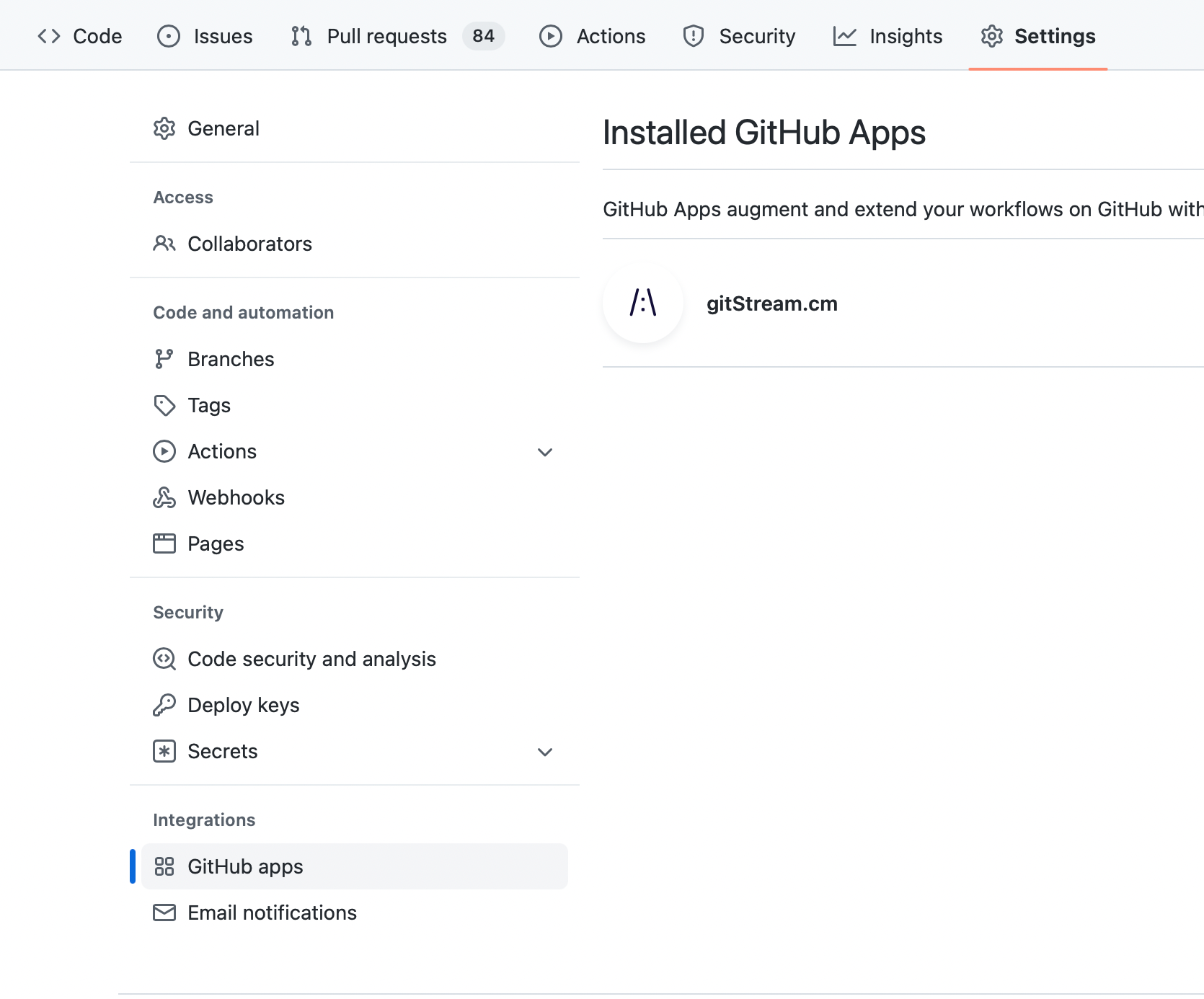 In case you don't see it, visit the marketplace and install it for free: https://github.com/marketplace/gitstream-by-linearb
Did you set the workflow files correctly?
Check you have placed these two files in your repository with these exact names:
gitstream.cmin thecmrepo, (for org level installs), or.cm/gitstream.cmon all other repositories.github/workflows/gitstream.yml
These files must be committed to the repository default branch (usually master or main). Notice that the action will not run until these files are found on the default branch.
Check that you see "gitStream workflow automation" in the Action section in your repository:
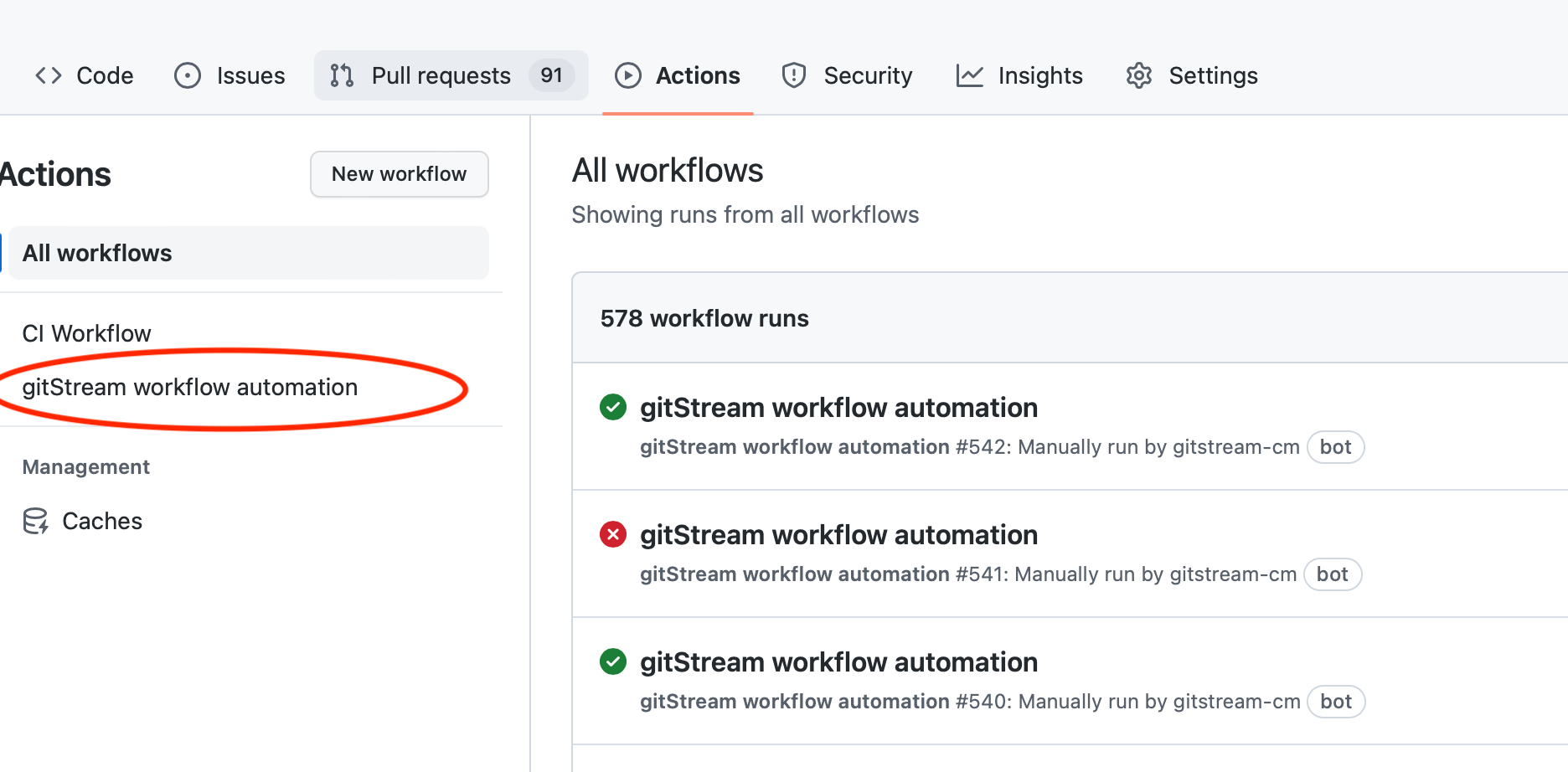
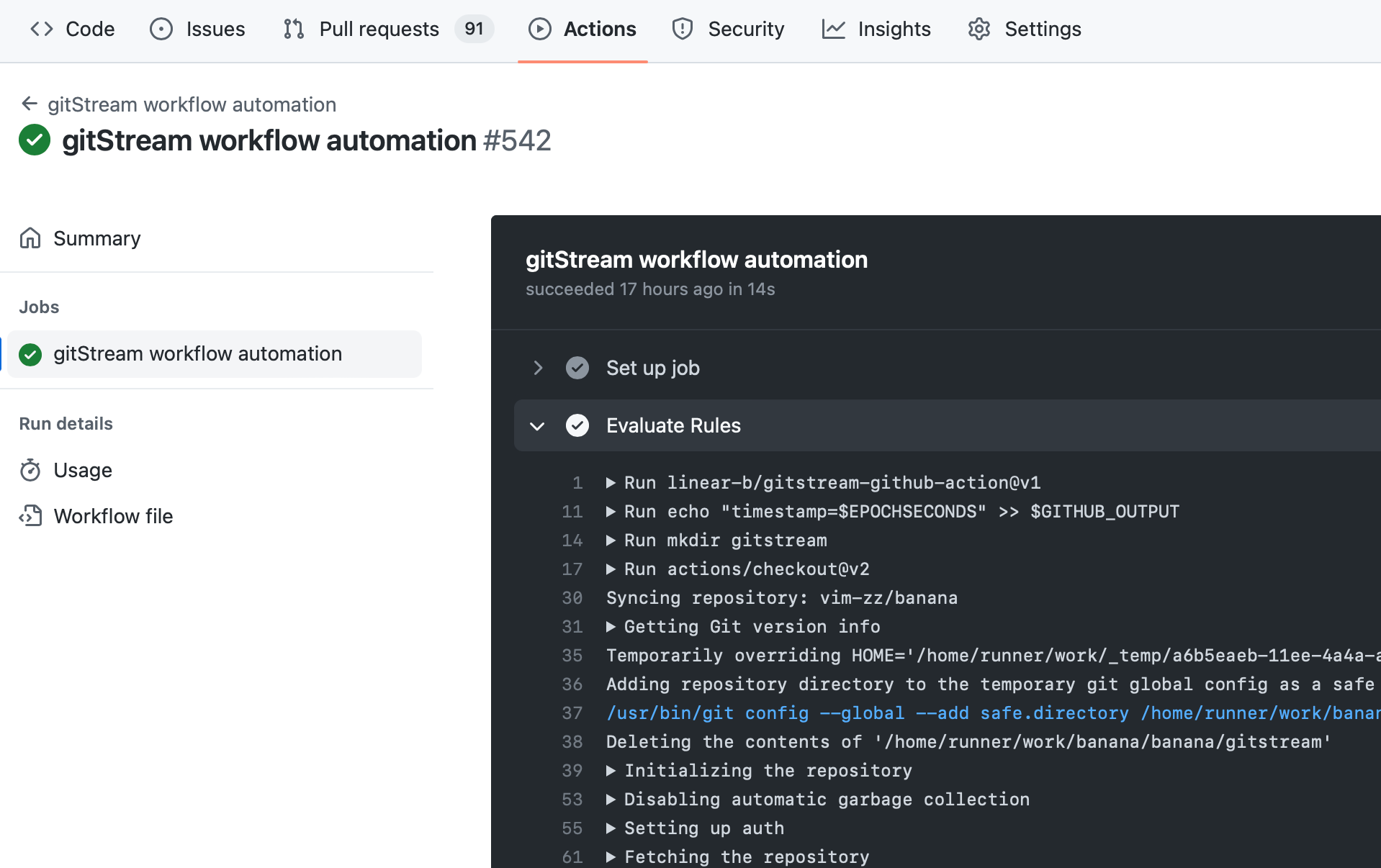
Next, if you see a failed action, check out the details:
Does your organization allows 3rd party actions?
Some organizations limit which actions can run, in that case, in the repository settings, you should enable it:
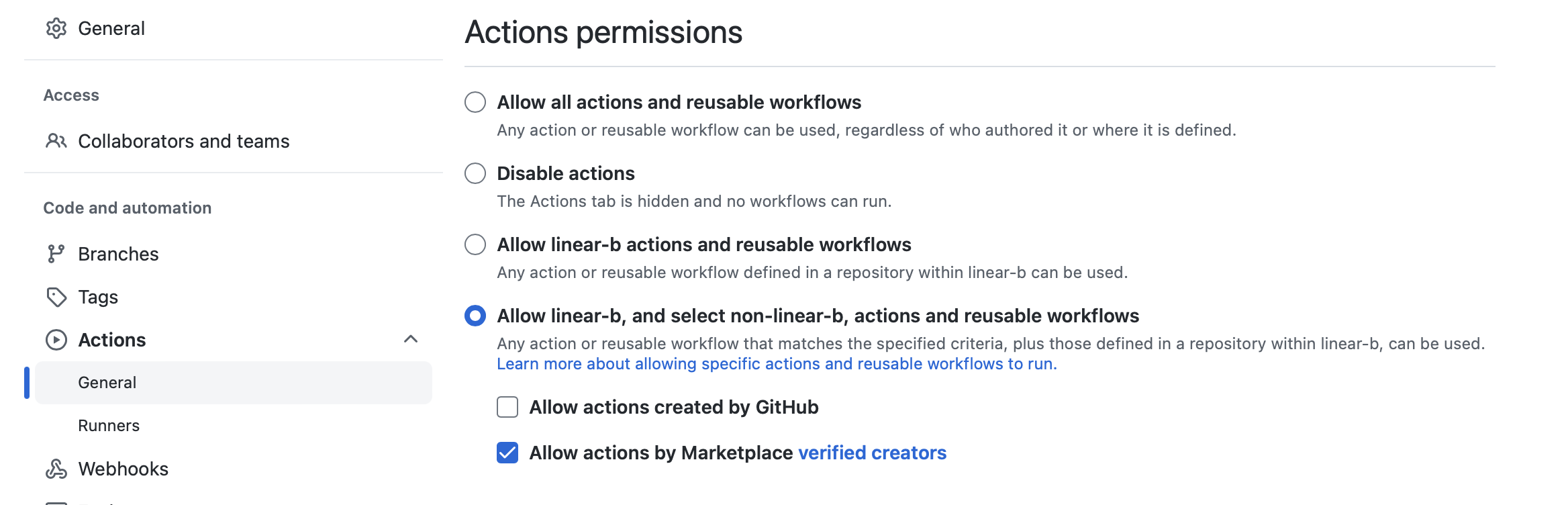
Also, add
linear-b/gitstream-github-action@v2,linear-b/gitstream-github-action@v2-lite,*/*/.github/workflows/gitstream.yml*
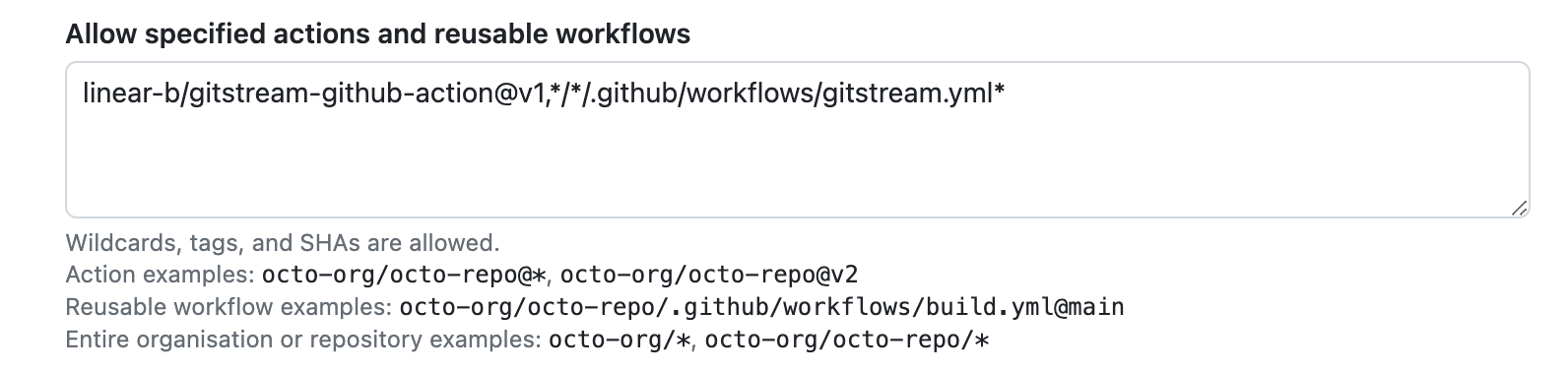
Adding new repo? Make sure to enable gitStream for it
- Go to https://github.com/apps/gitstream-cm and then
- click the
Configurebutton - If you see organization selection, choose the relevant org
- Scroll down to
Repository access - Make sure the repo you want is covered, i.e. either
All repositoriesis checked or the repo is checked in theOnly select repositorieslist
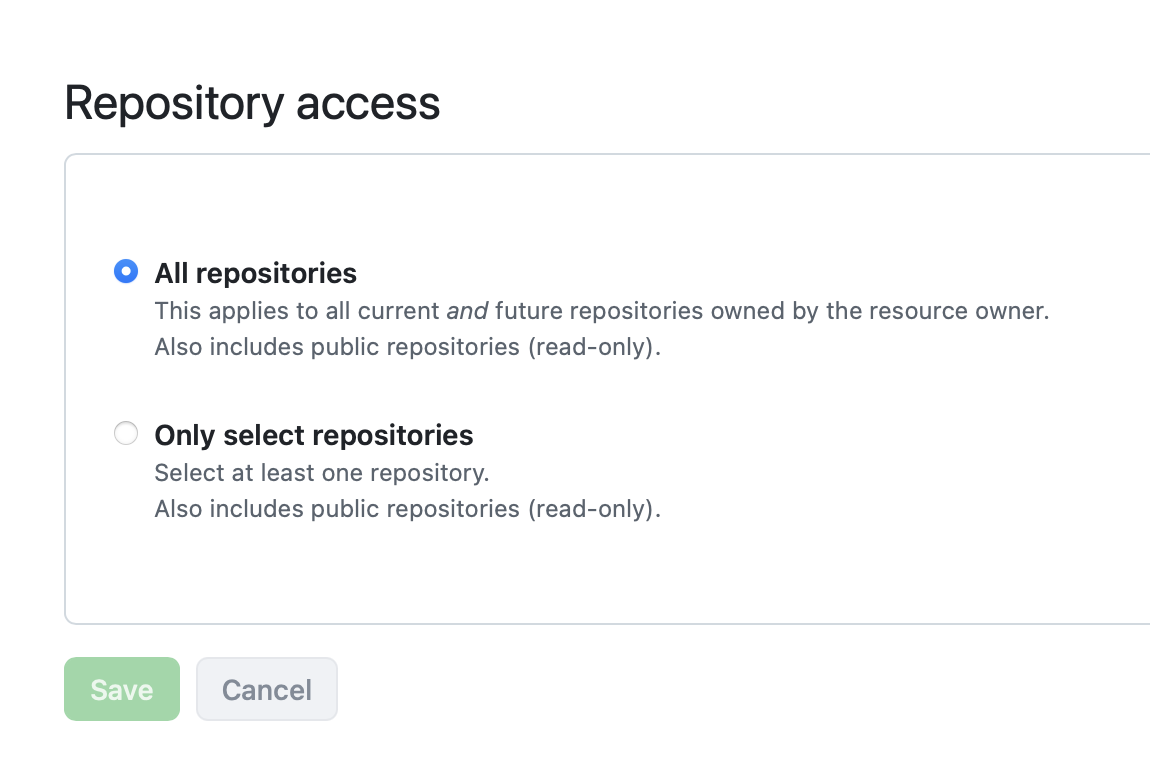
Using org level? Did you enable gitStream for your cm repo
Make sure you have added the cm repo to the repos gitStream should run on 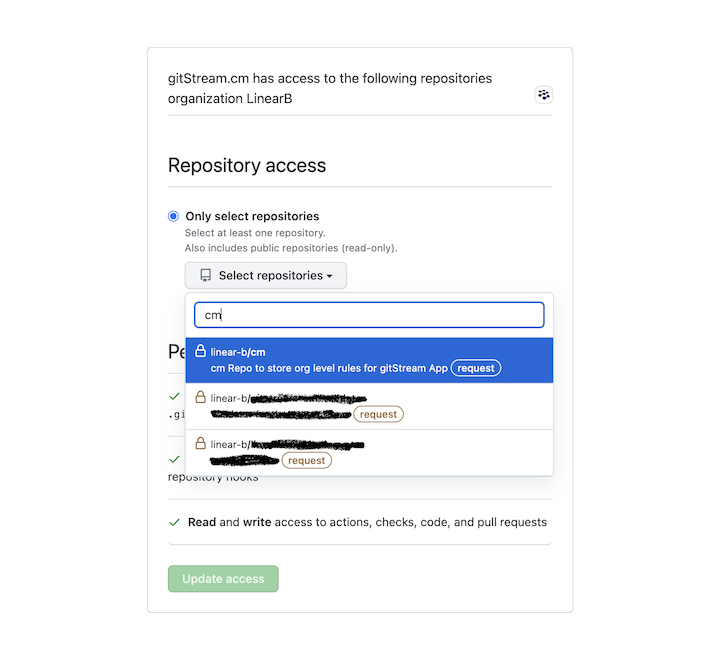
Are you using the default runners along with the "IP allow list" feature on GitHub?
According to GitHub, in order to use GitHub actions with the allow list, you must use self-hosted runners or GitHub-hosted larger runners with static IP address ranges and add their IP to the allow list.
When using GitHub's default runners, you will encounter the following error: "The repository owner has an IP allow list enabled, and [IP] is not permitted to access this repository," which indicates that GitHub is blocking the action. You can verify if the IP is part of GitHub's CIDR ranges by using the following list
Is the PR in Draft mode?
gitStream automations won't trigger for PRs that are in Draft mode.
I see 'gitStream workflow file not found' error
This error indicates that gitStream is unable to locate the file .github/workflows/gitstream.yml. The tool first searches for this file in the cm repository and then in the PR's repository. If the CI file is not found, this error message is displayed. To resolve this issue, ensure that your setup is correct and that the specified file exists in your repository.
I have rules that should have blocked merge, but the PR can be merged still
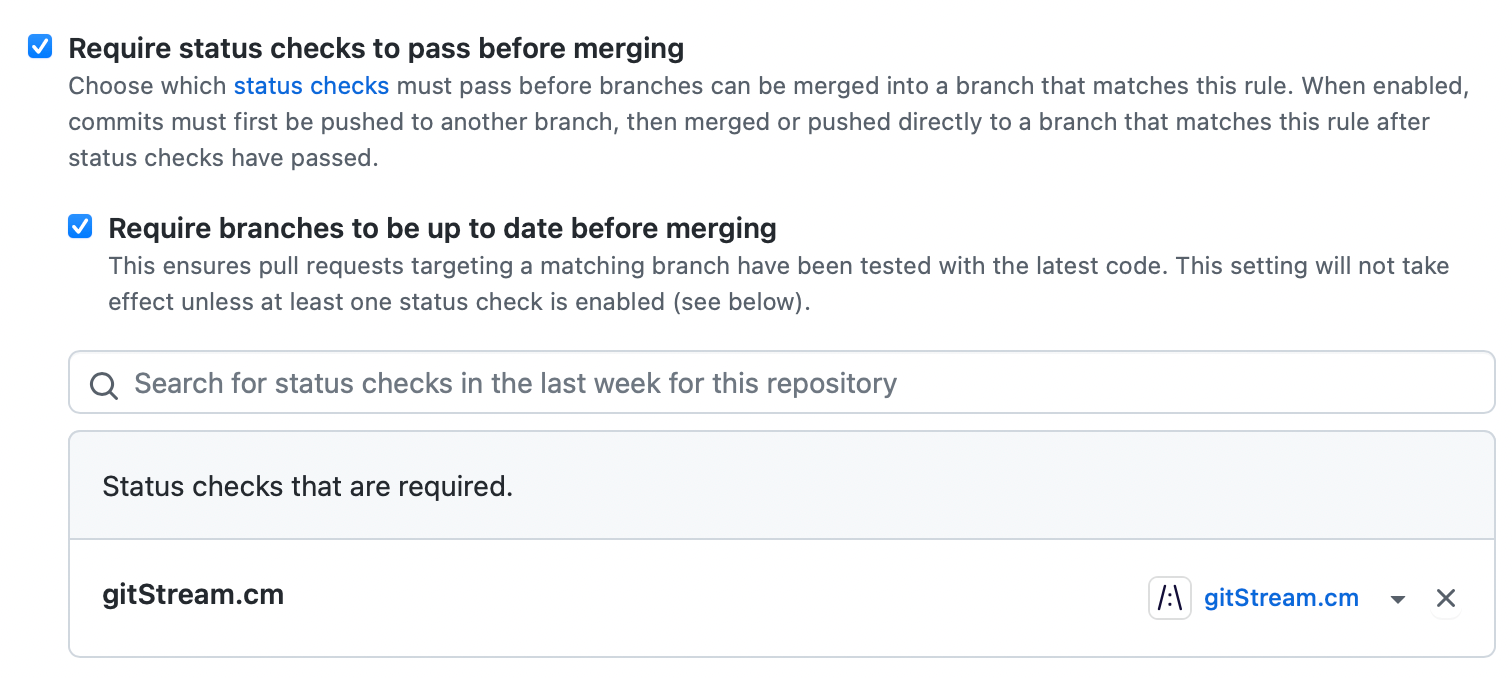
For example, when using the set-required-approvals action, gitStream can ensure the PR got enough approvals before it can be merged. gitStream does that by running as a check and marking the check conclusion as failed. In order for the PR to be blocked, gitStream should be set as a required check in the repo: instructions here.
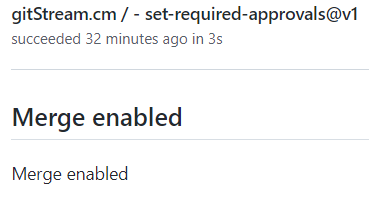
I can't set gitStream as required check
In order for gitStream to be listed as a required check, it needs to be triggered at least once in that repo. First create a new PR so gitStream is triggered.
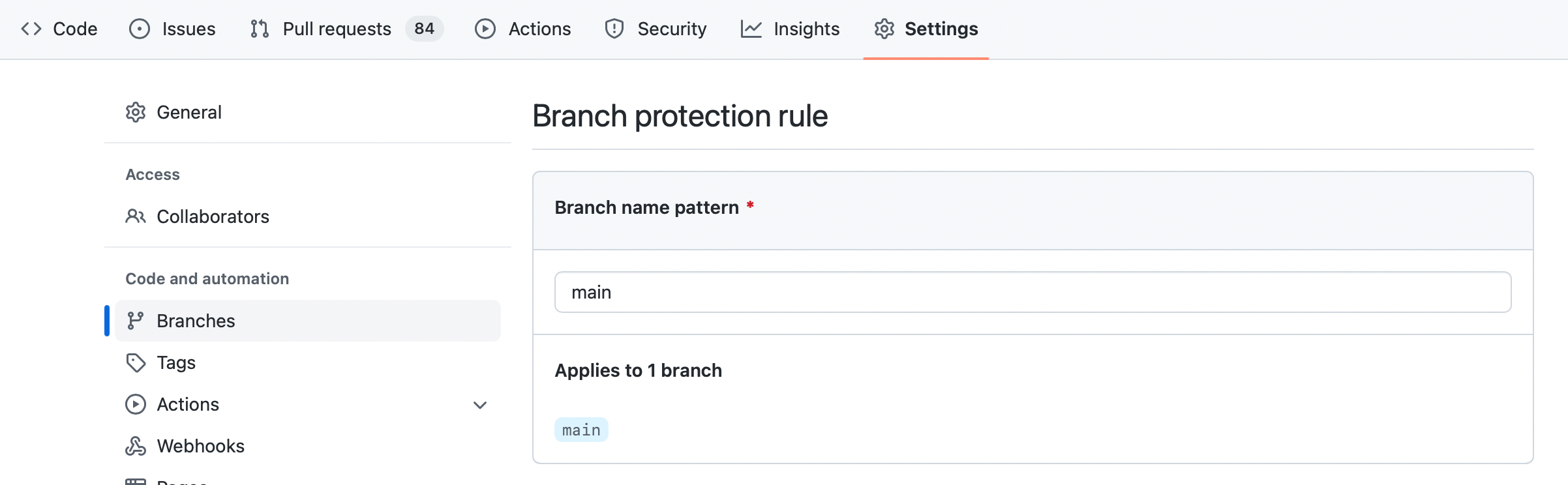
Check it under repository's Settings > Branches:
I don't want gitStream to run on PRs that was generated by a bot
When using repository level rules, you can edit the .github/workflows/gitstream.yml and uncomment the if line, you can edit and replace the bot name with the bot name you want to ignore (dependabot[bot] in the example below).
Note
This will not work for org level rules
permissions:
  contents: read

jobs:
  gitStream:
    timeout-minutes: 15
    # uncomment this condition, if you don't want any automation on dependabot PRs
    if: github.actor != 'dependabot[bot]'
    runs-on: ubuntu-latest
    name: gitStream workflow automation
    steps:
      - name: Evaluate Rules
        uses: linear-b/gitstream-github-action@v2
PR author usernames containing "linearb" prevent gitStream from running
If a PR is created by a user whose GitHub username contains the substring "linearb" (case-insensitive), gitStream will not run on that PR. This is a built-in restriction to prevent gitStream from processing its own internal automated PRs.
gitStream fails and I don't understand why
gitStream check run can fail from different reasons, and these are shown in the check result.
Missing workflow file

When it says gitStream.cm Skipped — gitStream workflow file not found, it means that: - The GitHub action was not found, check again that you have this file in your repository root: .github/workflows/gitstream.yml, see instructions on GitHub installation - When using org level, then the required cm repo may not be in the GitHub application allowed repositories list. See instructions above: enable gitStream for your cm repo
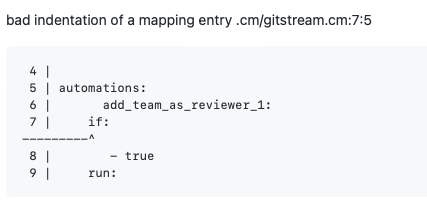
Syntax error in the cm files

Clicking the Details button will show more information and context.
You can add this automation to see details on context variable.
gitStream fails when using template strings with special characters (e.g., colon ':')
If a template string (e.g., pull request title, description, or other context variables) contains special characters such as a colon (:), gitStream might fail with a YAML parsing error due to invalid syntax.
To resolve this issue, ensure you properly escape special characters by using Nunjucks multiline strings. For example:
GitLab self-managed in restricted networks
If gitStream is installed in GitLab and nothing happens (or the CI job starts but fails in different places), the issue is often related to network allowlists, TLS configuration, or runner policies. Use the checkpoints below to narrow it down.
gitStream can't reach GitLab (timeouts, 403s, or no webhook follow-up)
Make sure your GitLab allowlist includes the LinearB/gitStream service IPs and your runner IPs. See the allowlist notes in GitLab installation.
TLS/certificate mismatch when GitLab is exposed by IP
You may see an error like:
This usually means the GitLab URL is an IP address, but the TLS certificate was issued for a hostname. Use a hostname that matches the certificate, or reissue the certificate with the IP in its SANs. If you run gitStream in a managed environment, contact support to align SSL validation with the host you expose.Pipeline starts but fails pulling images (no logs or timeouts)
If your runners can’t reach DockerHub, mirror the required images in your private registry (for example docker:latest, docker:dind, gitstream/rules-engine:latest) and update your .gitlab-ci.yml to pull from that registry. See GitLab installation for the registry customization option.
Pipeline stuck on "Waiting for pod ... ContainersNotReady"
Kubernetes/GitLab runners often disallow privileged mode, which Docker-in-Docker requires. Either allow privileged DIND on the runner or run gitStream with a container runtime your runner allows (for example Podman) and remove the DIND dependency from the pipeline.
Clone URL is malformed (e.g., ssh/// or unexpected port)
If your org injects SSH URLs or a custom port into repoUrl/cmUrl, normalize the URL in your CI script before cloning (remove the SSH prefix/port and enforce the correct https URL).
Docker runs but fails to write into the mounted repo
If the runner checks out files as root and the container runs as a non-root user, update ownership/permissions on the checkout directory before running the container, or run the container as the same user that owns the files.
API calls succeed locally but fail to post MR updates
If the client_payload (or derived repo URL) points to an external IP/host not reachable from your internal network, replace the host in client_payload with the internal GitLab endpoint, or align GitLab's external URL with the hostname reachable by your runners.
GitHub timeout issues with large repositories
If you're experiencing timeout issues during GitHub Actions execution, particularly with large repositories or monorepos, this is typically caused by the time required to clone the entire repository history.
You can resolve this by using the lite version of the gitStream GitHub Action, which performs a shallow clone to reduce execution time:
permissions:
  contents: read

jobs:
  gitStream:
    timeout-minutes: 15
    runs-on: ubuntu-latest
    name: gitStream workflow automation
    steps:
      - name: Evaluate Rules
        uses: linear-b/gitstream-github-action@v2-lite
        id: rules-engine
Important limitations of the lite version: - Automations that rely on Git history (such as code-experts) may not work properly due to the shallow clone - Historical data analysis features will be limited - Some context variables that depend on full Git history may return incomplete results
How can I debug expressions and see their content?
You can dump any context value to the PR comment. For example, to see the list of changed files, use:
automations:
  show_changed_files:
    if:
      - true
    run:
      - action: add-comment@v1
        args:
          comment: |
            FILES DUMP {{ files | dump | safe }}
            JS FILES DUMP {{ files | filter(regex=r/\.js$/) | dump | safe }}
gitStream fails with syntax error after adding new rules
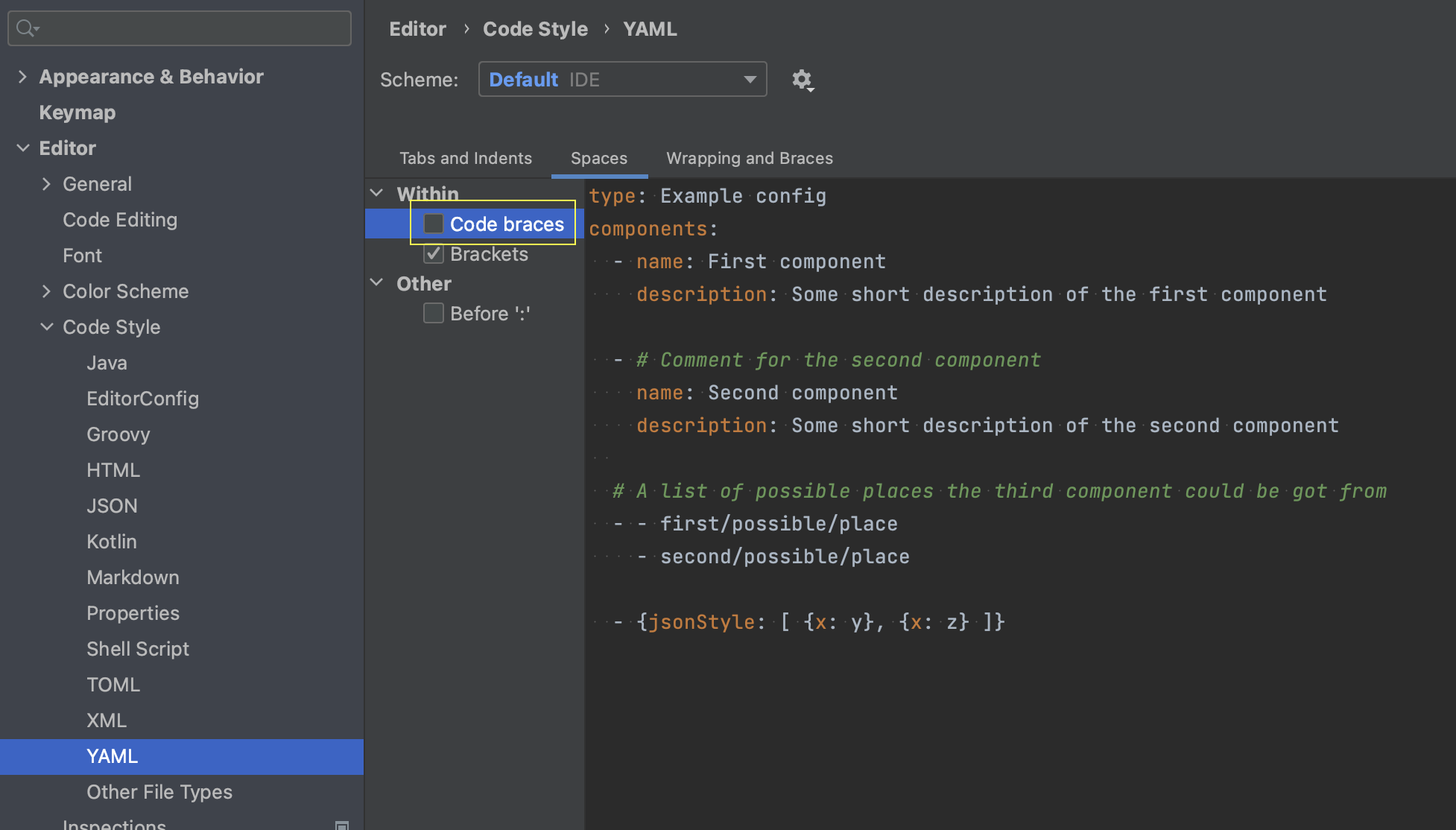
IntelliJ IDEA has automatic code styling for YAML that can break the .cm syntax, check the following Settings/Preferences | Editor | Code Style | YAML --> Spaces | Code braces and make sure it is unchecked.
VS Code YAML plugin by Red Hat extension [vscode-yaml](https://github.com/redhat-developer/vscode-yaml) has automatic code styling for YAML that can break the .cm syntax, make sure you disable bracketSpacing
Not here?
Create a new issue in the project's issues